Arrange tasks, set a target time, and choose music that matches your pace.

A routine timer for smoother starts
Morning
Rush
Own your morning.
Build a routine one task at a time. Morning Rush keeps every step visible, announces what comes next, and helps you finish on pace.


- Step-by-step timers
- Voice guidance
- Music for every routine
iOS
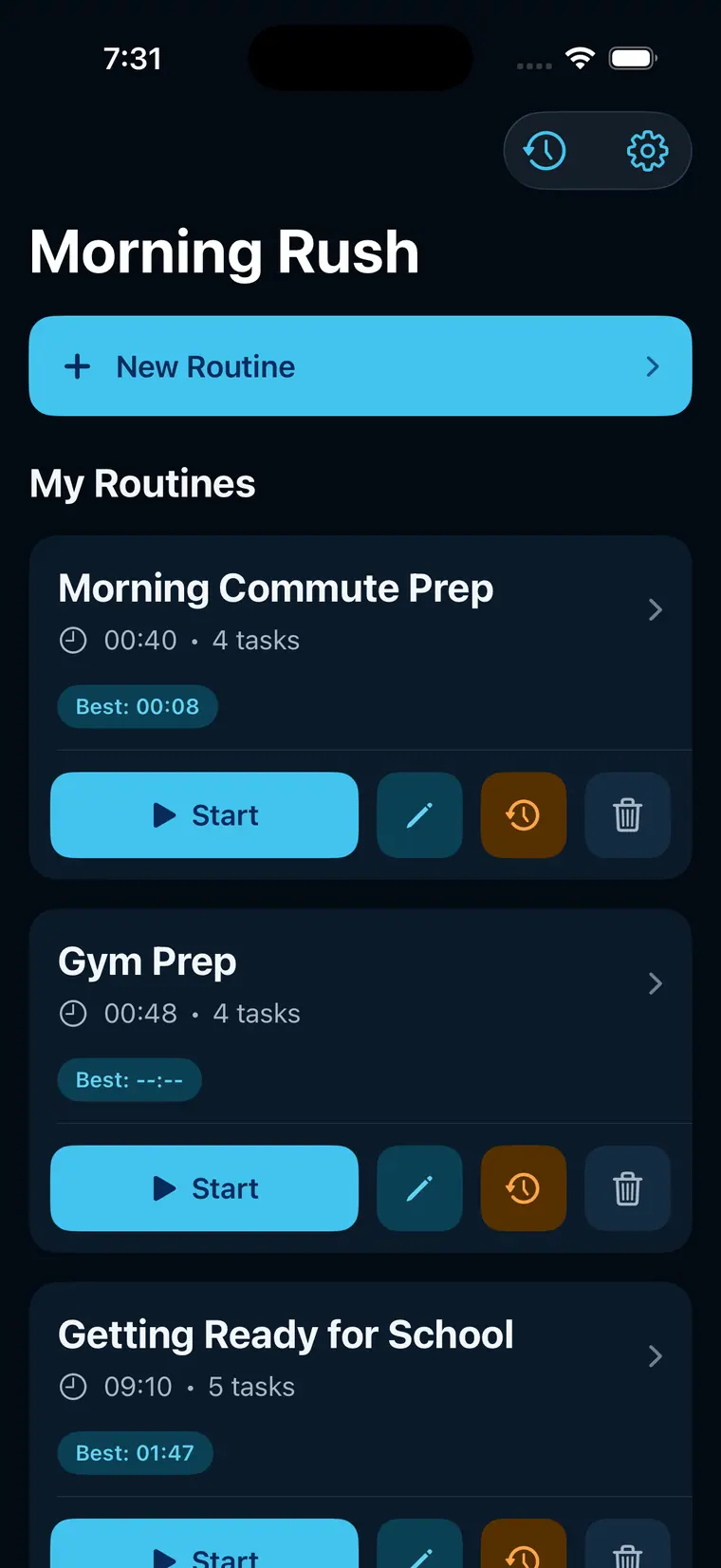
One calm flow
Build. Run. Improve.
Turn a rushed start into a repeatable routine you can see, hear, and improve.
Focus on one task while timers, voice cues, and the next step keep you moving.
Review every finish, compare your time, and come back stronger tomorrow.
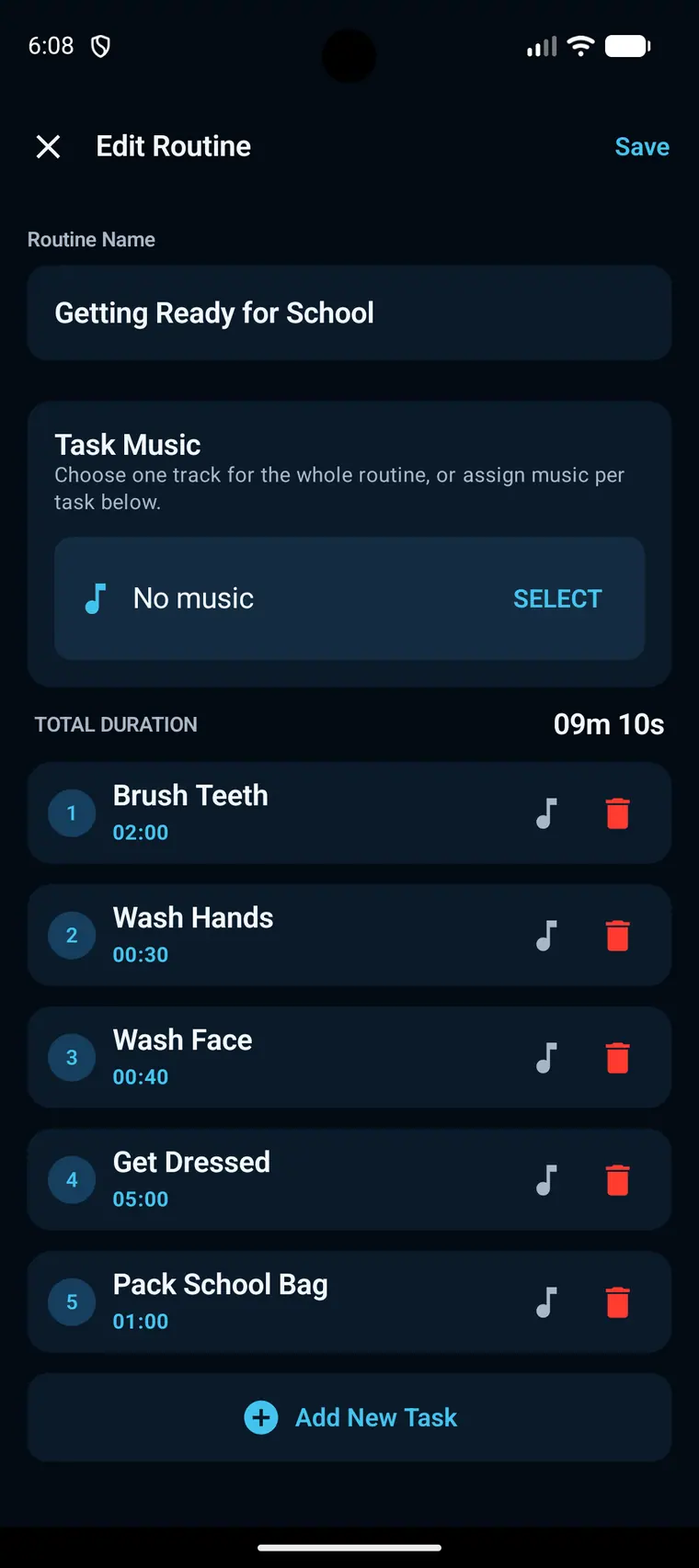
01 Build your routine
Your steps, your pace
Create routines for mornings, school, the gym, or any moment that is easier with a plan.
- Set a time for every task
- Reorder steps to match your flow
- Add routine and task music
02 Stay in the flow
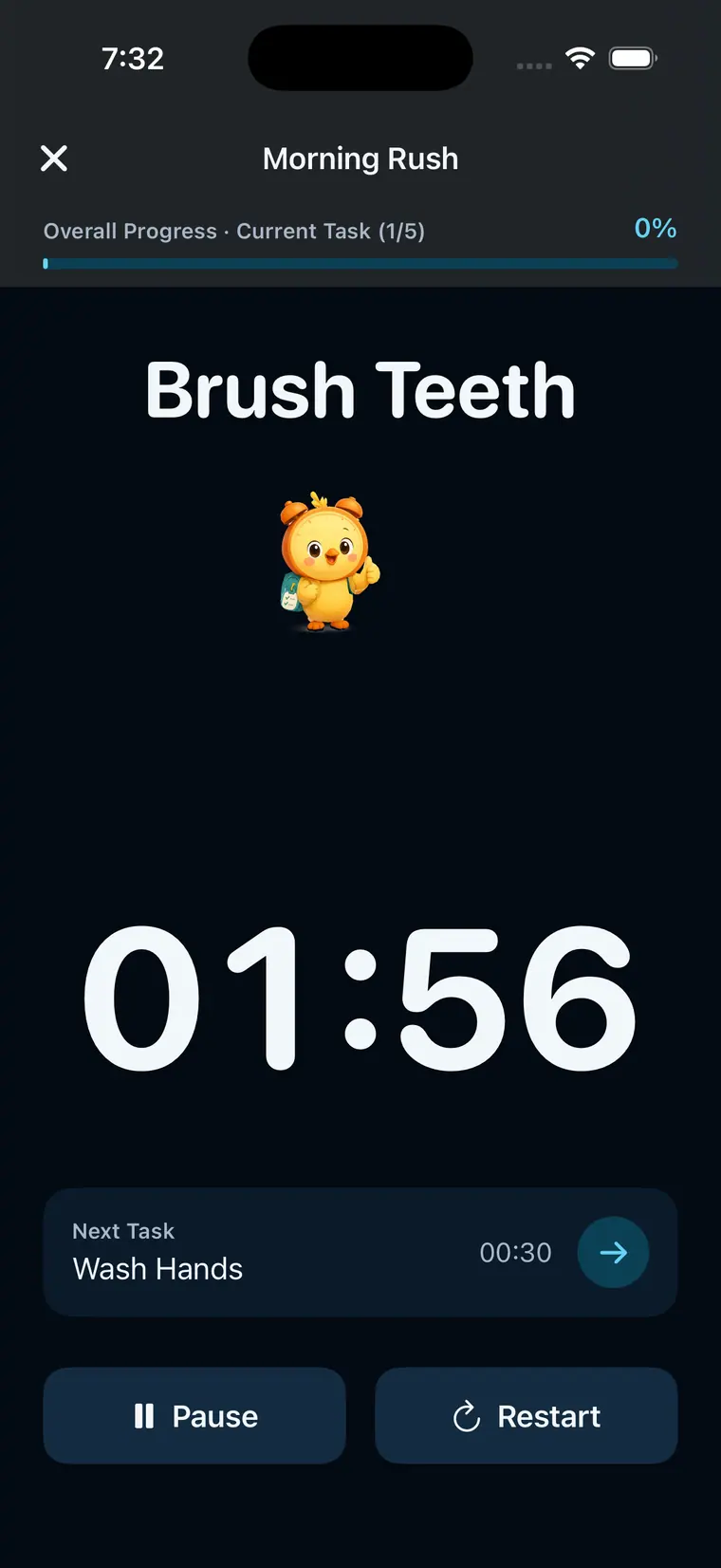
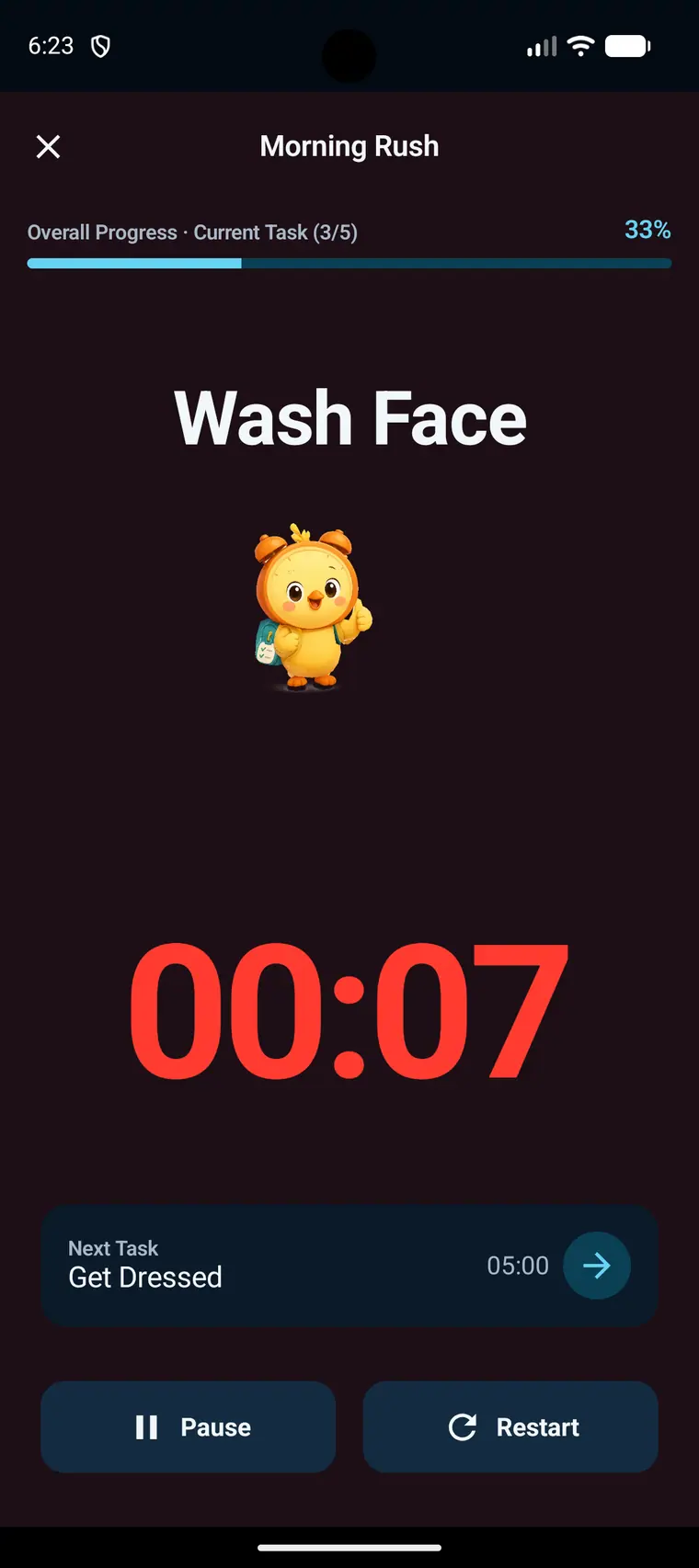
One task at a time
The current step stays clear at a glance. Voice announcements, music, and the next-task preview help you keep moving without checking the clock.
- Large task countdown
- Voice guidance at each step
- Pause, restart, or move ahead
03 Track every finish
See the win
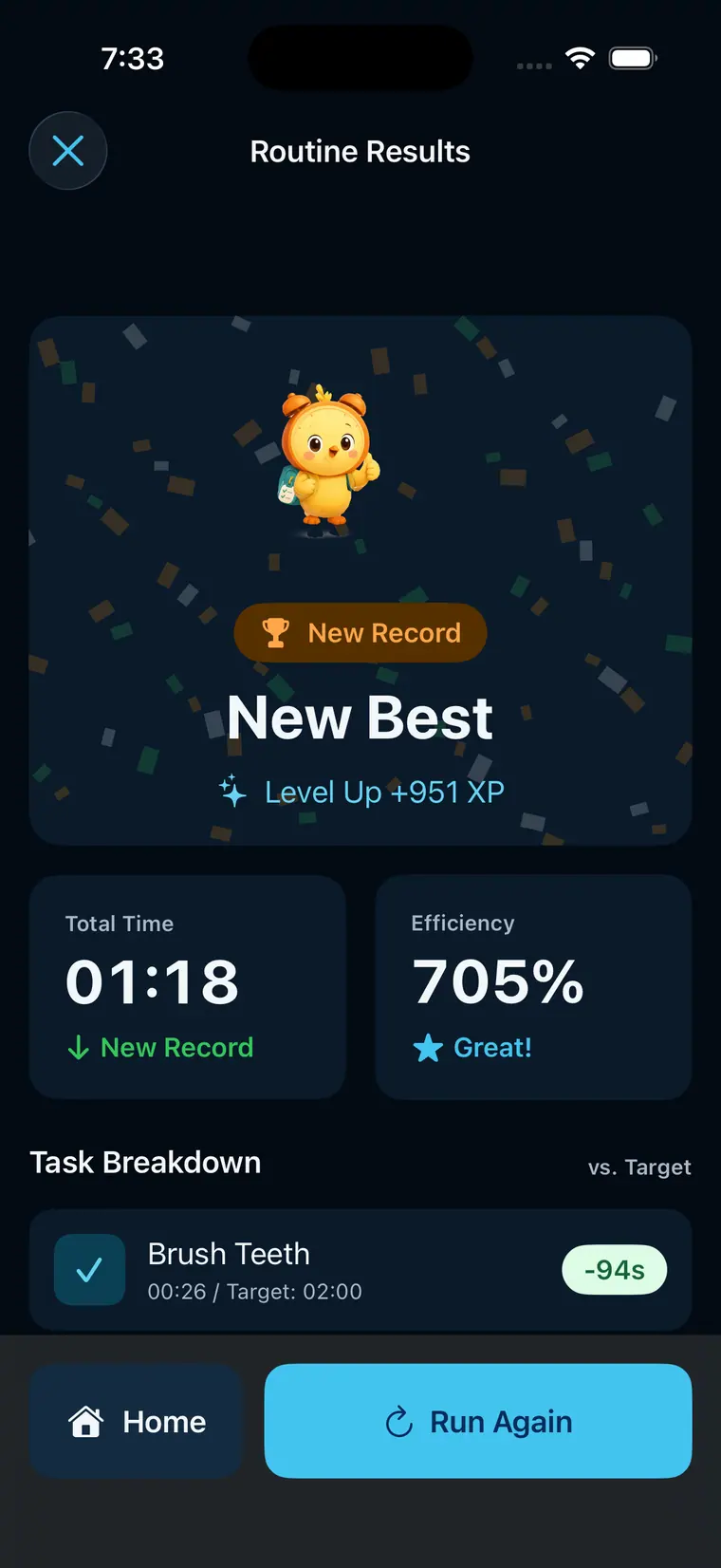
Finish the routine, review each task, and see how your total time compares with your target and best result.
- Total time and efficiency
- Task-by-task breakdown
- Personal best progress
Morning Rush support
Help when you need it
Find the details that help us understand your issue and get you moving again.
App facts
- Routines, tasks, history, and selected music are stored on your device.
- Morning Rush does not provide account-based cloud sync.
- The app is available for iOS and Android in English, Korean, Japanese, Spanish, and Traditional Chinese.
We can help with
- Creating, editing, ordering, or deleting routine tasks
- Timer, voice announcement, music, or audio issues
- History, result, settings, privacy choice, or display issues
Please include
- App version, device model, operating-system version, and language
- The feature you were using and steps that reproduce the issue
- Whether voice, music, notifications, or privacy permissions were enabled
Contact
Send us a message for support, feedback, or privacy questions.
[email protected] View Privacy PolicyLast updated: July 19, 2026